Live Chat for a Website: What It Is and How to Choose
· 3 min read
A website live chat is a small window in the corner of a page. A visitor types a question, you answer, and the conversation stays in one place instead of spreading across email and phone calls.
How it differs from the other ways people can reach you:
- A contact form. The visitor leaves an address and waits. In a chat the answer arrives while the question still matters.
- A phone number. Plenty of people won't call just to ask whether an item ships to their state. Typing is easier.
- A link to a messenger. The visitor leaves your site for another app. In a chat they stay on the product page.
What to check before choosing
1. Where you answer. If replies are possible only in a browser on a computer, the chat sits idle whenever you're away from the desk. Check whether you can answer from a phone. In PulseMarko, visitor messages can arrive in Telegram, and you answer with the normal Reply: your answer shows up in the chat window on the site.
2. What the chat does at night. A visitor writes at 11 p.m. and you're asleep. If the chat stays silent, the visitor leaves. PulseMarko lets you set working hours: outside them the chat shows your text, asks for a name and phone number, and saves the request in the Leads section.
3. What makes the price grow. Services count different things: operators, conversations, visitors. Read the formula before you sign up and try it with your own numbers. We count a "conversation": a visitor who wrote to you this month. Someone who only opened a page doesn't count.
4. How it gets onto the site. Look for ready instructions for your platform and a way to confirm the code is in place. More on that in how to add live chat to your website without a developer.
5. What happens when the free period ends. This is the most common unpleasant surprise. Find out whether there is a permanent free tier and what it includes.
How PulseMarko does it
The free tier has no time limit: 1 site and 100 conversations a month. No card is needed to sign up. Paid plans add sites and conversations; current prices are on the module page.
Besides the chat window itself, the module has:
- replies from Telegram and from the Inbox in the dashboard;
- working hours and a message for off-hours;
- up to five auto-invitations: the chat writes first to a visitor on the page you choose, after the number of seconds you set;
- a "On site now" view: which visitors are on your site and which page they have open;
- photos and PDFs from visitors, up to 10 MB;
- AI replies based on your own data: 50 a month free.
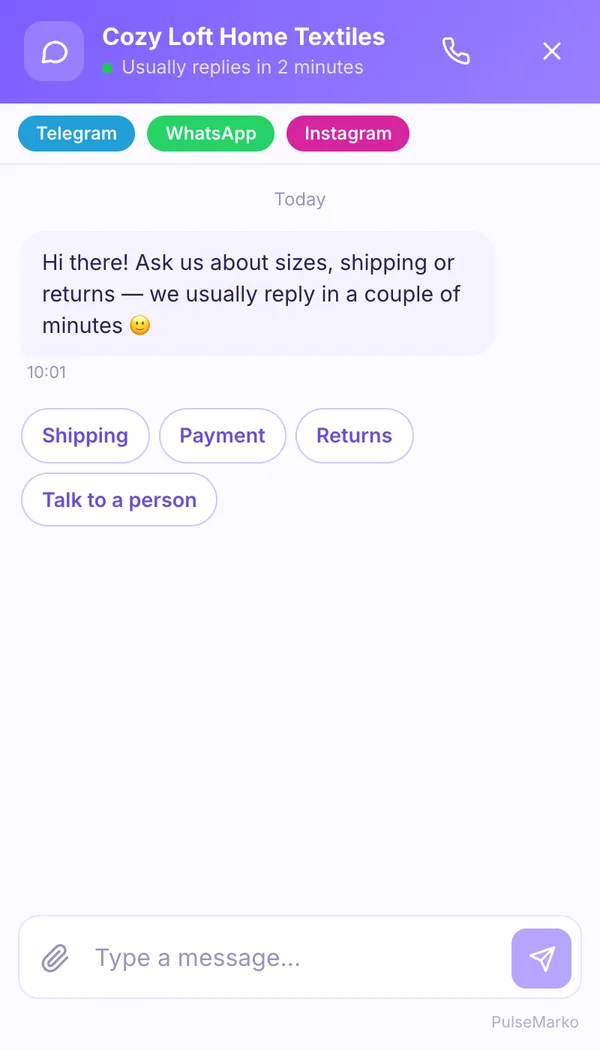
To estimate how many inquiries you may be losing without a chat, the module page has a calculator. It works from the numbers you enter yourself and promises nothing.
You can try it without paying: sign up and add the chat.
Try it in PulseMarko
Sell in messengers without routine
Chatbots, broadcasts, in-chat payments and every conversation in one place. 14 days of every module free.
Try for free