Online course platform: create a course and accept payments
PulseMarko helps you create an online course and sell it yourself: video lessons, quizzes, homework with review, and a certificate at the end. The student pays by card, Apple Pay or Google Pay through your monobank, WayForPay or LiqPay account. The money goes straight to your account, access opens automatically, and PulseMarko takes no commission.
The free plan has no time limit: 1 course and 200 active students. Selling with payments works on it too.
- 0% PulseMarko commission
- monobank, WayForPay, LiqPay
- Student login without a password
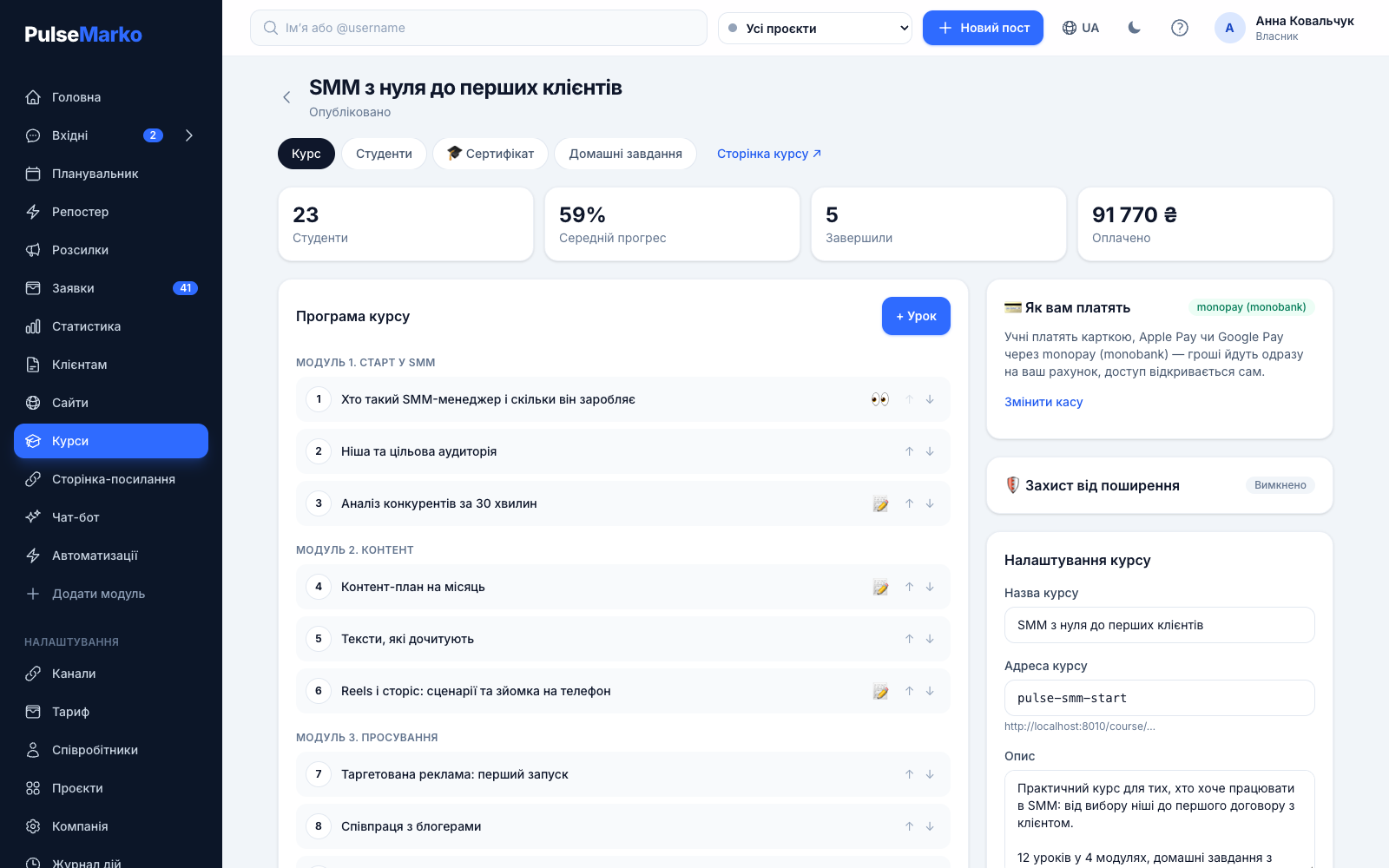
For experts, craftspeople, tutors and small online schools
Most often, courses in PulseMarko are made by nail, brow and lash artists, cosmetologists, English teachers and targeted-ads specialists. Another use is training new employees of your own business. Below are four typical problems and how to solve them in the dashboard.
Someone bought access and shared it in a chat. Sales drop, and there is no way to find out where it leaked.
A student's personal link works on 2 devices at most. A third one needs a code from the email sent to the student, and then the oldest device is signed out of the course. A watermark with the student's email and number floats over the video.
Photos of work arrive in five different chats, and some stay unanswered.
The student sends an answer as text or up to 5 files (JPG, PNG, WebP, PDF, up to 10 MB each). Everything lands on the "Homework" screen, where you click "Accept" or "Send back" with a comment.
Every morning you open the next lesson for each student and nudge the ones who fell behind.
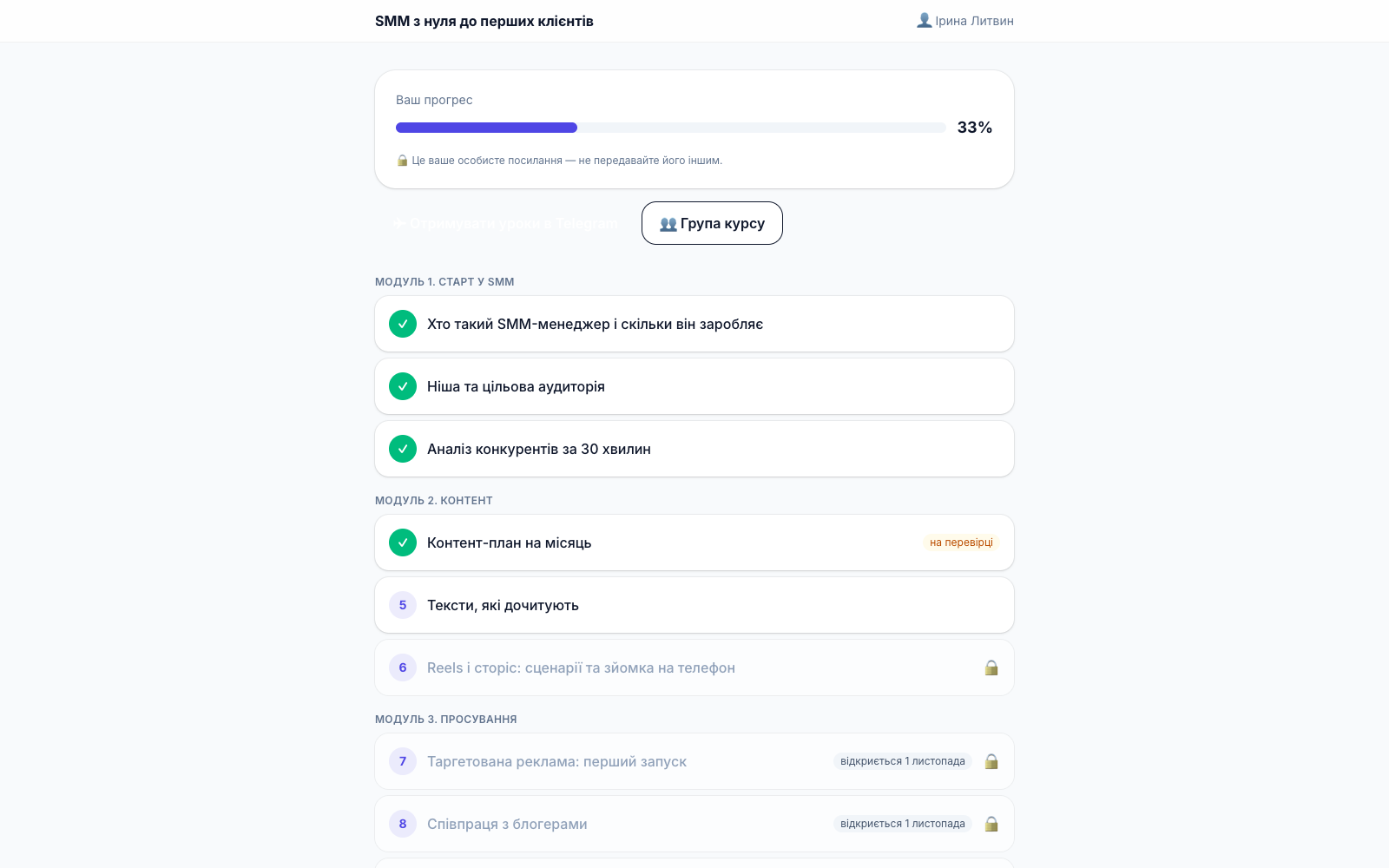
Each lesson has an "Open the lesson N days after start" field. Days count from payment or from enrollment. An email or a Telegram message about the new lesson goes out on the day it opens.
On some platforms selling is only open with a paid subscription, and some also take a percentage of every payment.
You can connect a merchant account on the free plan too. PulseMarko does not take a percentage of sales. The payment fee is charged only by your bank or payment service under your contract.
How to create an online course: three steps
To get going there is the "Course in 3 minutes" wizard. You pick a topic, an audience (beginners, practitioners, your clients or your team) and the number of lessons: 3, 5, 7 or 10. The wizard creates the outline, lessons, quizzes, the page description and a certificate. After that you edit everything by hand.
Create a course
After signing up, open "Courses" and click "Course in 3 minutes" or "New course". Without paid AI, the wizard gives you a ready structure with a hint on what to cover in each lesson.
Fill in the lessons and connect payments
Paste a video link, text, quiz questions with a passing score, and a homework task. Set the price in hryvnias. monobank needs an online acquiring token, WayForPay and LiqPay need two keys, and there is a hint right on the screen.
Publish and share the link
Turn on "Published". Put the link to the course page in your Instagram profile header, a Telegram channel or your website. The student pays and gets an email with a personal link to the course.
What the online course platform can do
This is only what already works in the dashboard. What is missing is listed in the "Good to know" section.
Lessons and sections
Video from YouTube (the "Unlisted" mode works), Vimeo, TikTok, Kinescope, Gumlet, Bunny Stream or VdoCipher. Lesson text, sections, and a trial lesson that opens right after enrollment. You can turn on the "One lesson at a time" mode.
Quizzes and homework
Quizzes are checked automatically: a lesson counts as done when the student reaches the passing score. You review homework yourself, and the "Draft feedback (AI)" button suggests the comment text. It uses 1 answer from the AI limit, and you send it yourself.
Challenges and reminders
A lesson opens on day N. The "Remind students" switch sends an email about a new lesson, a "haven't seen you in a while" email after 3 quiet days (no more than once in 7 days), and a reminder to fix returned homework after 2 days.
Sharing protection
A watermark with the student's data over the video, a maximum of 2 devices per link, and a device reset button for the author. Videos from Kinescope, Gumlet, Bunny Stream and VdoCipher cannot be downloaded.
Certificate with verification
A drag-and-drop builder, 6 templates, your own background, logo and signature. The "Verification QR" layer leads to a "Certificate is genuine" page that does not show the student's email or phone. The student can click "Add to LinkedIn".
Students in Telegram
If the company's Telegram bot is connected, the student sees a "Get lessons in Telegram" button. New lessons, reminders and the homework result then arrive there, or by email if Telegram is unavailable.
Also in the course editor: the "Average progress", "Completed" and "Paid" stats, an "Add student" button for those who paid to your card, resending the link, and a "Closed course group" field for an invitation to Telegram or Viber.
What it looks like in the dashboard

Courses module pricing
Each PulseMarko module is paid for separately, so you do not pay for bots or broadcasts if you do not need them. The free plan has no time limit. Prices are in dollars, and the hryvnia amounts are approximate at a rate of 45 ₴.
Free
- 1 course
- 200 active students
- Selling through your merchant account, 0% PulseMarko commission
- Video protection, challenges, certificate
Basic
- 5 courses
- 2,000 active students
- 5 GB of company file storage
- Everything in Free
Pro
- Unlimited courses
- Up to 10,000 active students (more on request)
- 20 GB of company file storage
- Everything in Basic
The student limit counts active students across all courses of the company together. Without paid modules, a company has 1 GB of file storage.
Limits worth learning about before you start
- There is no video hosting of our own. You upload videos to YouTube, Vimeo, TikTok or a protected player (Kinescope, Gumlet, Bunny Stream, VdoCipher) and paste the link into the lesson.
- No service can fully prevent screen recording: a monitor can be filmed with a phone. The watermark shows whose access was leaked, and the device limit stops people from forwarding the link.
- Webinars, a mobile app for students, installment payments, course subscriptions and several plans inside one course are not available right now.
- In a quiz each question has one correct answer. Multiple-answer and open questions are not available yet.
- A student gets a separate link for each course. There is no shared dashboard with all of a student's courses.
- Student notifications go by email and Telegram. Instagram, Facebook and WhatsApp are in development: they will work after Meta review.
- The wizard writes lesson texts and quizzes with AI only with the paid AI answers module (from $4.39, ≈ 198 ₴ per month). Without it you get a structure with hints.
Frequently asked questions
What is an LMS platform, in plain words?
An LMS (learning management system) is a service that holds the lessons of a course. Students go through them in order, take quizzes and submit homework, and the author sees everyone's progress. PulseMarko adds a sales page and payments on top, so you do not need a separate website or payment module to start.
How much does it cost to create an online course, and what is the commission?
One course with up to 200 active students is free, with no time limit. The Basic plan costs $5.99 per month (≈ 270 ₴) for 5 courses and 2,000 students. Pro at $14.99 (≈ 675 ₴) removes the course limit and allows up to 10,000 students. PulseMarko does not take a percentage of your sales. The acquiring fee is charged by your bank or payment service.
Is there a free online course platform where I can sell?
Yes. On the free plan of the Courses module you can connect a monobank, WayForPay or LiqPay account and sell your course. The limits are 1 course and 200 active students. Promo codes need the Basic plan of the Link in bio page ($3.29 per month).
Do I need a sole proprietor status to accept payment for a course?
For online acquiring with monobank, WayForPay and LiqPay, banks usually ask for a sole proprietor or a company, and the terms are set by the service itself. If you have no merchant account, the student clicks "Leave a request", pays to your card, and you open access with the "Add student" button.
How do I protect course videos from downloading?
Use a protected player: Kinescope, Gumlet, Bunny Stream or VdoCipher. Videos cannot be downloaded from them. In the course settings turn on "Sharing protection": a watermark with the student's email and phone appears over the video, and the link works on 2 devices at most. No service can stop someone from filming the screen with a phone, but the watermark shows whose access was leaked.
How do I enroll students and tell them about new lessons?
The student registers on the course page and gets a personal link by email, no password needed. They get an email about a new lesson, about checked homework and about finishing the course. If the company's Telegram bot is connected, these messages arrive in Telegram. To announce a new cohort, use the Broadcasts module.
Can I run an online course in Telegram?
Lessons open on the course page in the browser, and quizzes and homework are there too. Telegram is used for notifications: the student clicks "Get lessons in Telegram" and receives links to new lessons and reminders there. You can also give out a link to a closed course group.
Can I create a course with AI?
Yes. The "Course in 3 minutes" wizard, together with the paid AI answers module, writes the outline, lesson texts, quizzes and description. Generation uses answers from your monthly limit. Without the paid module, the wizard builds the course structure with a hint on what to cover in each lesson. You add the videos and the final text.
What to connect together with Courses
Create your first course for free
Signing up takes a minute. 1 course and 200 active students stay free with no time limit, and you can connect a merchant account right away.
Start for freeNo bank card is needed to sign up. For the first 14 days all PulseMarko modules are open, then the free plans remain.