An AI chatbot that answers customers from your knowledge base
A business AI chatbot answers messages in Telegram, Viber and website chat while your manager is busy or asleep. It takes facts only from the text you wrote about yourself: prices, delivery, payment, opening hours. If the answer isn't there, the customer gets a message that a manager will reply soon, and a person takes over the conversation.
The free tier has no end date: 50 AI answers a month for the whole company.
- Telegram
- Viber
- Website chat
- Instagram, Facebook, WhatsApp waiting for Meta approval
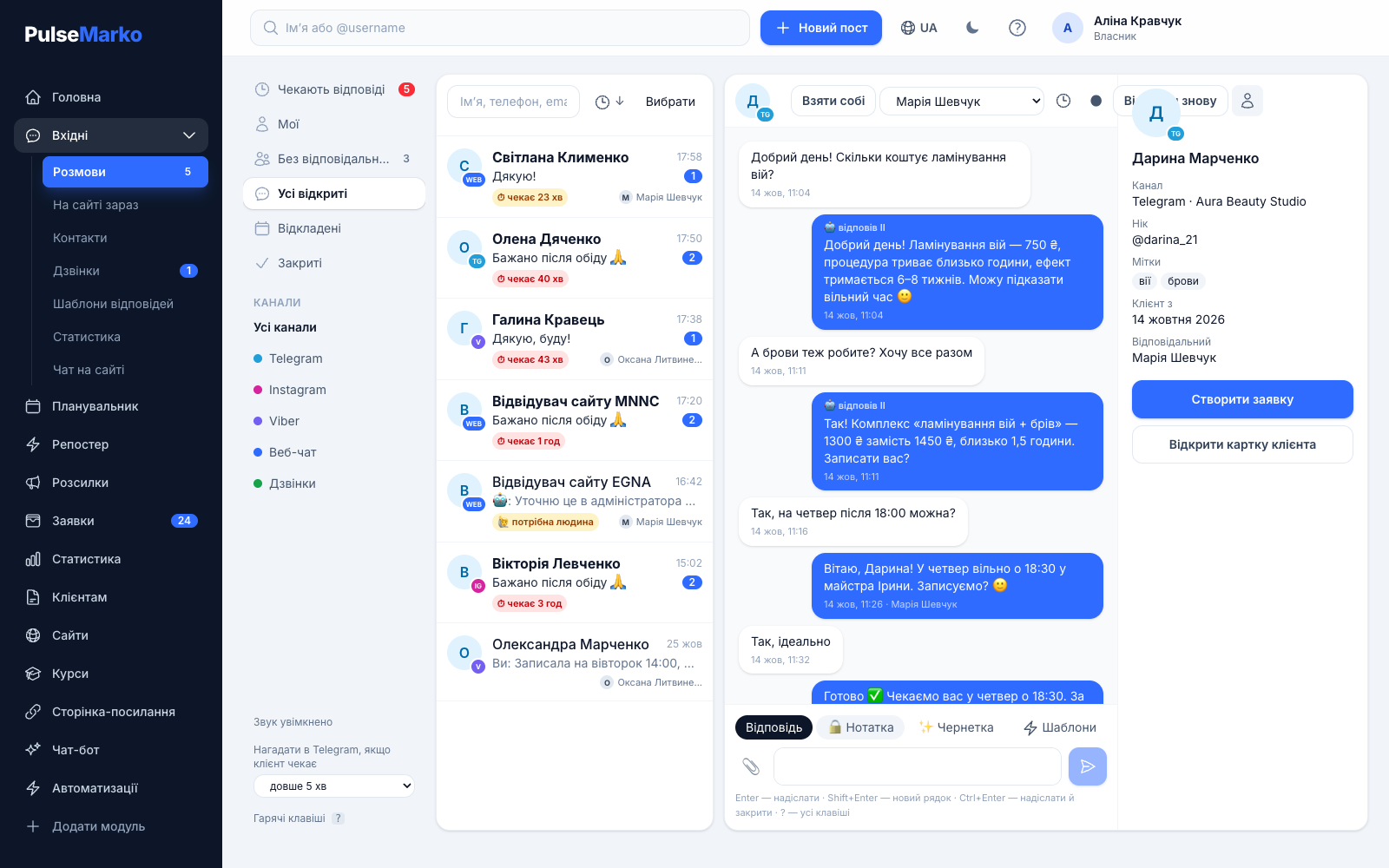
When the manager can't keep up with replies
In a small business customers mostly ask the same things: how much it costs, when it will arrive, until what time you work. Here is how an AI chatbot behaves in four typical cases.
"How much is delivery to Lviv?"
The AI answers from your delivery text as soon as the message arrives. In the morning the manager sees this conversation in Inbox, and the bot's message is marked there as "AI replied".
"Can I pick up the order in Uzhhorod?"
The knowledge base says nothing about Uzhhorod, so the AI doesn't make something up. The customer gets a short "a manager will reply soon", the conversation goes back to "Awaiting reply", and the question itself appears in the list of unanswered questions.
"Please call a manager"
The bot recognizes these words without calling the AI and doesn't use the limit. The conversation goes to the assigned employee, and if there is none, the system assigns a person in turn and sends a notification in Telegram.
An employee is chatting with the customer
If a manager wrote to this person in the last 30 minutes, the AI does not answer.
A knowledge base for your chatbot: what the AI knows and what it won't make up
Everything the AI knows about your business is stored in one field, "What the AI knows about your business". It is shared by all channels and holds up to 40,000 characters, about twenty pages of text. Write it the way you would explain things to a new salesperson on day one: prices, delivery and payment terms, opening hours, address, returns, answers to common questions.
Under the field you see a character counter and a hint about which topics are missing from the text. If you already have a link page or a site in PulseMarko, the "Fill from my pages" button collects contacts, products with prices and block texts from there. Nothing is saved automatically: you read the result, edit it and press "Save".
For a single channel you can add a supplement of up to 20,000 characters, for example a promo code that is valid only in Viber. The AI reads the shared text and the supplement together, within 40,000 characters.
The rules the AI follows
- It takes facts only from your knowledge base. It doesn't name prices, stock, discounts or promises that aren't there.
- It writes briefly, one to four sentences, in the language the customer used.
- It sees the last 12 messages of the conversation, so it understands follow-ups like "do you have it in black?".
- It ignores a customer's request to change the rules, "play a role" or show its instructions.
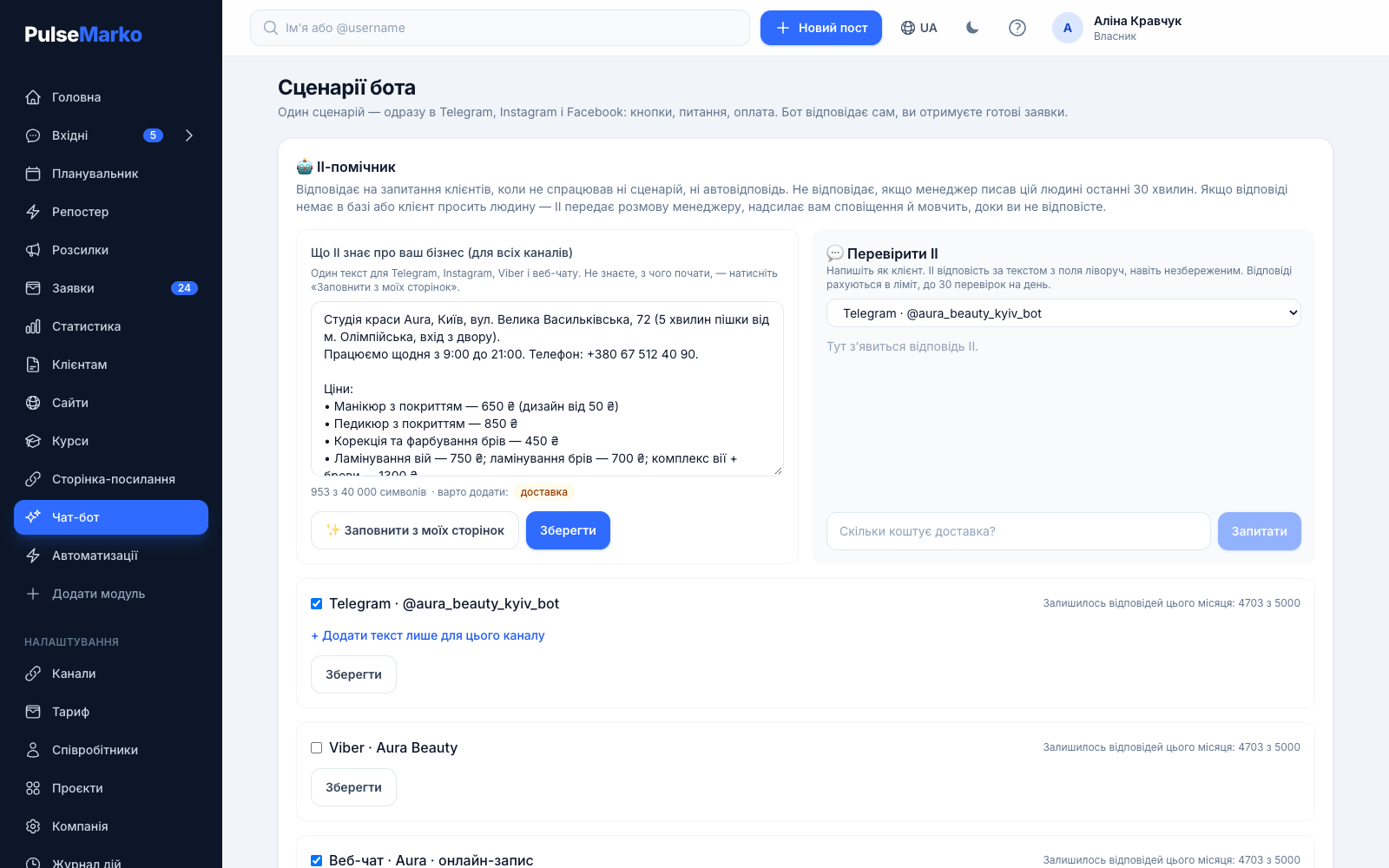
An AI bot for Telegram, Viber and website chat
The AI answers private messages in the channels you have connected to PulseMarko. Right now these are a Telegram bot, a Viber bot and the website chat widget. On a site it works as an AI consultant: the visitor writes in the small window, the answer arrives in the same place, and the whole conversation sits in Inbox next to your messengers.
Instagram, Facebook and WhatsApp are waiting for Meta's approval. The code for them is ready, but you will be able to connect these channels only after Meta reviews our app, and we can't control how long that takes. After launch, Meta's rule will apply: a business can reply within 24 hours after the customer's last message.
The AI picks the reply language from the customer. If they wrote in Ukrainian, they get a reply in Ukrainian, even if the knowledge base is in Russian.
Who answers first
When a message arrives, PulseMarko checks in this order:
- The bot flow from the chatbot builder, if the message starts or continues it.
- An auto-reply by keywords, if you set one up.
- The AI assistant, if none of the above fired and it is turned on for the channel.
The AI and the manager don't interrupt each other
All conversations with AI replies go to the shared Inbox for the team. From there a manager sees what the bot answered and can take over at any moment.
Handoff to a person
If the AI found no answer or the customer asked for an operator, the conversation gets the "needs a human" tag and returns to "Awaiting reply". The assignee gets a Telegram notification with a link to the dialog, if the employee has notifications connected.
The AI goes quiet
After a handoff the bot doesn't write in this conversation until the manager replies, but no longer than 24 hours. To give the conversation back, the chat has a "Return to bot" button.
A draft for the manager
The reply field has a "Draft" button: the AI writes a reply variant based on the conversation, and the "Shorter" and "Politer" buttons rewrite the text you already typed. The customer receives nothing until you send it yourself.
An AI step in a bot flow
The builder has a separate AI step. In it you set what exactly the AI should do ("help pick a size"), how many answers to give, from 1 to 20, and the words that hand over to a manager. Then the flow continues on its own path: asks for a phone number, offers payment.
The AI step writes text replies. Orders, tags and payment are handled by regular flow steps, and the AI itself does not write to outside CRMs or call APIs.
How to test the AI and add to the knowledge base from real questions
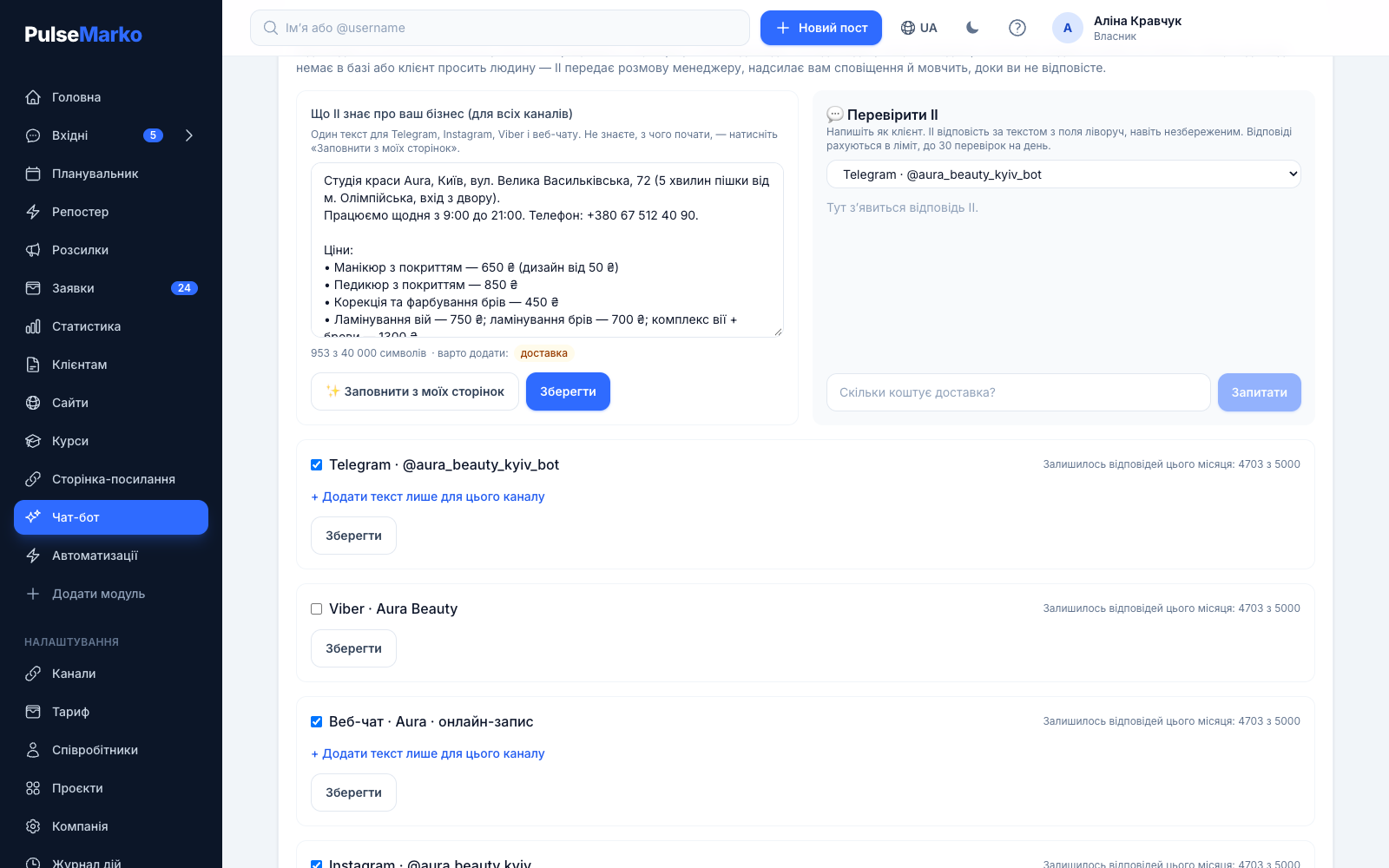
You write as a customer and see what the bot answers. This is a convenient way to catch gaps before you turn the AI on in a channel. Up to 30 tests a day are available, and they count toward the monthly answer limit.
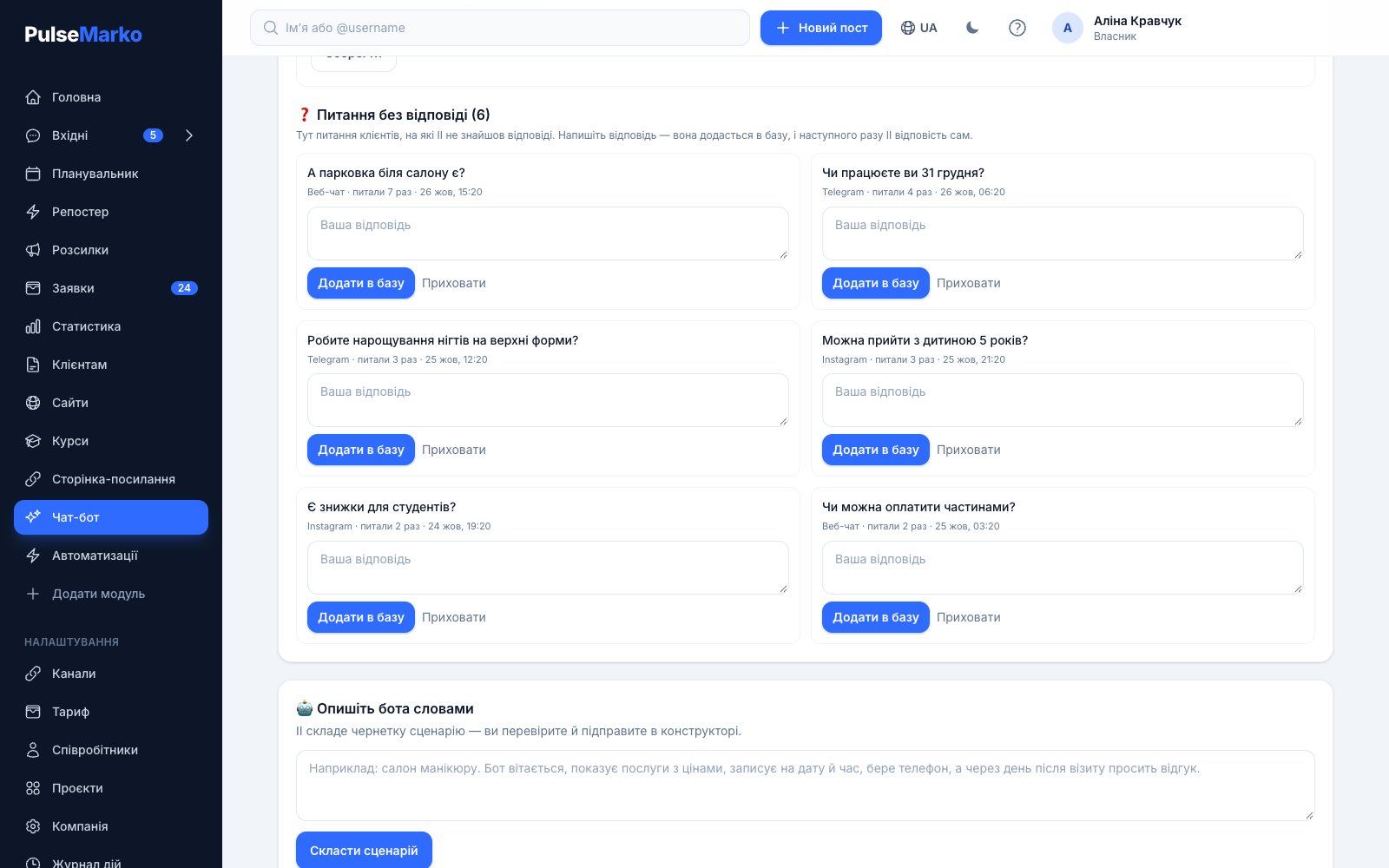
When the AI finds no answer in the knowledge base, the customer's question goes into this list. Write the answer in the "Your answer" field and press "Add to knowledge base": it is appended to the knowledge base as a question and answer pair, and next time the bot answers on its own. Requests to call a person don't go here.
How to connect AI to your chatbot in 3 steps
Connect a channel
After sign-up add a Telegram bot, a Viber bot or a website chat. For Telegram you only need the token from BotFather.
Fill in the knowledge base
Open the "Bots" section, find the "AI assistant" block and fill in the field by hand or with the "Fill from my pages" button. Save.
Test it and turn it on
Ask a few questions in "Test the AI", turn the assistant on for the channel you need and write to the bot from your phone. The "Answers left this month" line shows the remaining limit.
How much an AI chatbot costs
The limit is counted in AI answers. One sent answer equals one unit, and if the AI didn't answer because of an error, nothing is deducted. The limit is shared across the whole company and starts over on the 1st of each month.
Free
- 50 AI answers a month
- Shared knowledge base up to 40,000 characters
- "Test the AI" and unanswered questions
- Handoff to a manager and drafts in Inbox
Basic
- 1,000 AI answers a month
- "Describe the bot in words": the AI builds a draft flow
- Everything from the free tier
Pro
- 5,000 AI answers a month
- "Describe the bot in words"
- Everything from the free tier
What to know before launch
- Instagram, Facebook and WhatsApp are waiting for Meta's approval, so they can't be connected yet. Today the AI answers in Telegram, Viber and website chat.
- The knowledge base accepts text only. You can't upload a PDF, a Word document or a link to an outside website, and the import works only from your link page and sites built in PulseMarko.
- The AI can make mistakes. Before launch, ask it a dozen real questions in "Test the AI" and look at the unanswered questions list from time to time.
- The AI answers text messages in private chats. It does not answer comments under posts. For that there are automations in the bot builder.
- When the monthly limit is used up, the assistant in the channel stops answering until the 1st, and new messages wait for a manager in Inbox. In a flow's AI step the customer gets "A manager will reply shortly", and the flow moves on.
- To form an answer, the conversation text and your knowledge base are passed to a Claude model from Anthropic through its API.
What the AI works with
Frequently asked questions
Is this ChatGPT?
No. PulseMarko runs on Claude models from Anthropic: a fast model is used for customer replies, and a more powerful one for "Describe the bot in words". You don't need your own API key, and access is included in the answer limit.
How do I connect AI to my chatbot?
Connect a Telegram bot, a Viber bot or a website chat, open the "Bots" section, fill in the "What the AI knows about your business" field and turn on the assistant for the channel. It answers when neither a flow nor an auto-reply fired. To make the AI answer at a specific point of a flow, add an AI step in the builder.
Does the AI chatbot answer in Ukrainian?
Yes. The AI answers in the language the customer writes in: Ukrainian, Russian, English or another. The knowledge base can be written in one language.
What if the AI doesn't know the answer? Will it make something up?
No. By its rules the AI takes facts only from your knowledge base. If the answer isn't there, the customer gets a message that a manager will reply soon, the conversation goes back to "Awaiting reply", and the question lands in the "Unanswered questions" list. Mistakes are still possible, so test the bot before launch.
How do I train the chatbot: can I upload a file or a website?
Not yet. The knowledge base is filled with text of up to 40,000 characters. The "Fill from my pages" button takes data from your link page and from sites built in PulseMarko. You can add answers to new questions with the "Add to knowledge base" button.
What counts as one answer and when does the limit reset?
One answer that the AI sent to a customer equals one unit of the limit. Tests in "Test the AI" and drafts for the manager count the same way. A request to call a person does not use the limit. The limit is shared across the company and resets on the 1st of each month.
What happens when the limit runs out?
The assistant in the channel stops answering until the start of next month, and new messages wait for a manager in Inbox. For a bigger limit, switch to the Basic tier with 1,000 answers or Pro with 5,000.
Does the AI answer in Instagram Direct and in comments?
Not yet. Connecting Instagram, Facebook and WhatsApp is waiting for Meta's approval, and for now the AI answers in Telegram, Viber and website chat. The AI does not answer comments: replies to a comment in a private message are sent by the bot builder's automations.
Can the AI replace a manager?
No. The AI takes on repeated questions about prices, delivery and opening hours, especially at night and on weekends. Hard cases, agreements and decisions stay with people: the bot hands them the conversation and goes quiet.
Fill in the knowledge base and ask the bot its first question
Connect a Telegram bot, paste your prices and delivery terms into the field, then write to the bot from your phone the way a customer would.
Start for free50 AI answers a month are free, with no end date.